SC DMX A
A controller that extends the Spectoda ecosystem into the DMX512 world.
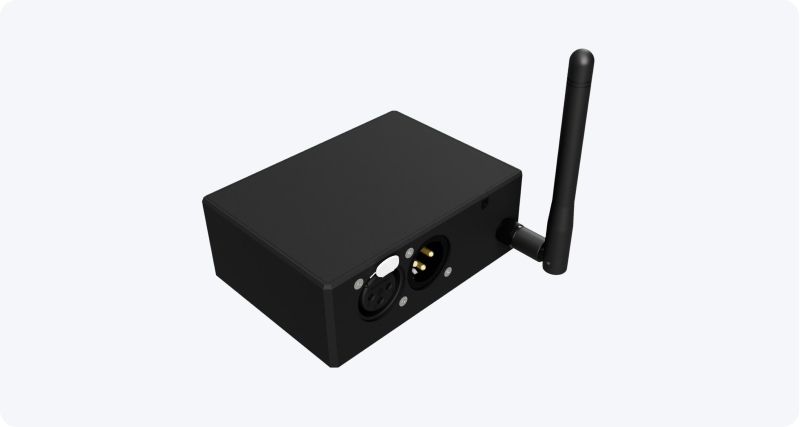
Description
Section titled “Description”SC DMX A is a controller designed as a full bridge between the Spectoda ecosystem and the DMX world. It supports bidirectional communication: it can receive DMX (Input) and transmit DMX (Output). This makes it possible to control DMX devices from Spectoda while also reading DMX values from a lighting console and using them in scenes.
- Supplied with Spectoda firmware, so it is fully compatible with other devices in the Spectoda ecosystem.
- Supports full DMX512 Input and Output.
- Uses Spectoda ESP-NOW wireless communication with other controllers in the installation.
- Compatible with Art-Net/sACN through additional Spectoda control elements, for example SC Pixel Master.
- Includes status LEDs and a user/pairing button.
How SC DMX A is used
Section titled “How SC DMX A is used”It can be used in a wide range of projects where modern Spectoda wireless control needs to be connected to standard wired DMX installations.
- Input (console to Spectoda): DMX frames from the connected console are available in the project Berry script and can trigger events.
- Output (Spectoda to DMX): Rendered animations or scenes can be sent through the project Berry script to connected DMX fixtures.
- Integration: Art-Net/sACN integration is possible through Pixel Master.
SC DMX A features
Section titled “SC DMX A features”- DMX standard: DMX512 (RS-485), 250 kbit/s
- Isolation: the DMX communication side is galvanically isolated from the logic side (opto and isolated DC/DC)
- Termination: integrated 120 ohm termination (mountable/switchable depending on line end)
- Mechanical design: 3D-printed enclosure
- Dimensions: 100 mm x 73 mm x 37 mm
- Indication: status LEDs and user/pairing button
- Power supply: 5 V DC (USB-C or terminals)
- Order code: SPE10108D-X-EA-0400
Applications
Section titled “Applications”- Bridge between Spectoda and DMX
- DMX signal reader for Spectoda scenes
- DMX device controller from the Spectoda system
Supported devices
Section titled “Supported devices”- Any DMX512-compatible devices (lights, dimmers, effects)
- Any DMX512-compatible consoles and signal sources
Technical specifications
Section titled “Technical specifications”Connection interfaces
| Connector | Function | Description |
|---|---|---|
| XLR IN | DMX input | Input from console/DMX device (RS-485) |
| XLR OUT | DMX output | Output to DMX chain (RS-485) |
| POWER | Power | 5 V DC (USB-C / terminals depending on variant) |
Note: Depending on the variant, XLR connectors may be replaced by screw terminals.
Recommended operating conditions
| Parameter | Min | Typ | Max | Unit |
|---|---|---|---|---|
| Voltage applied to the power pin | - | 5 | - | V DC |
| Power consumption (without external loads) | - | < 2 | - | W |
| Operating temperature | -20 | - | +50 | degC |
| Operating humidity (non-condensing) | 10 | - | 80 | % RH |
Storage conditions
| Parameter | Min | Max | Unit |
|---|---|---|---|
| Storage temperature | -25 | +70 | degC |
| Storage humidity (non-condensing) | 10 | 90 | % RH |
Installation instructions
Section titled “Installation instructions”- Connect 5 V DC power according to the variant (USB-C or terminals).
- For Input, connect the XLR cable from the console to DMX IN.
- For Output, connect the DMX chain to DMX OUT.
- Enable 120 ohm termination if the device is the last device in the DMX chain.
- Map the relevant DMX channels in Spectoda Studio.
Wiring diagram
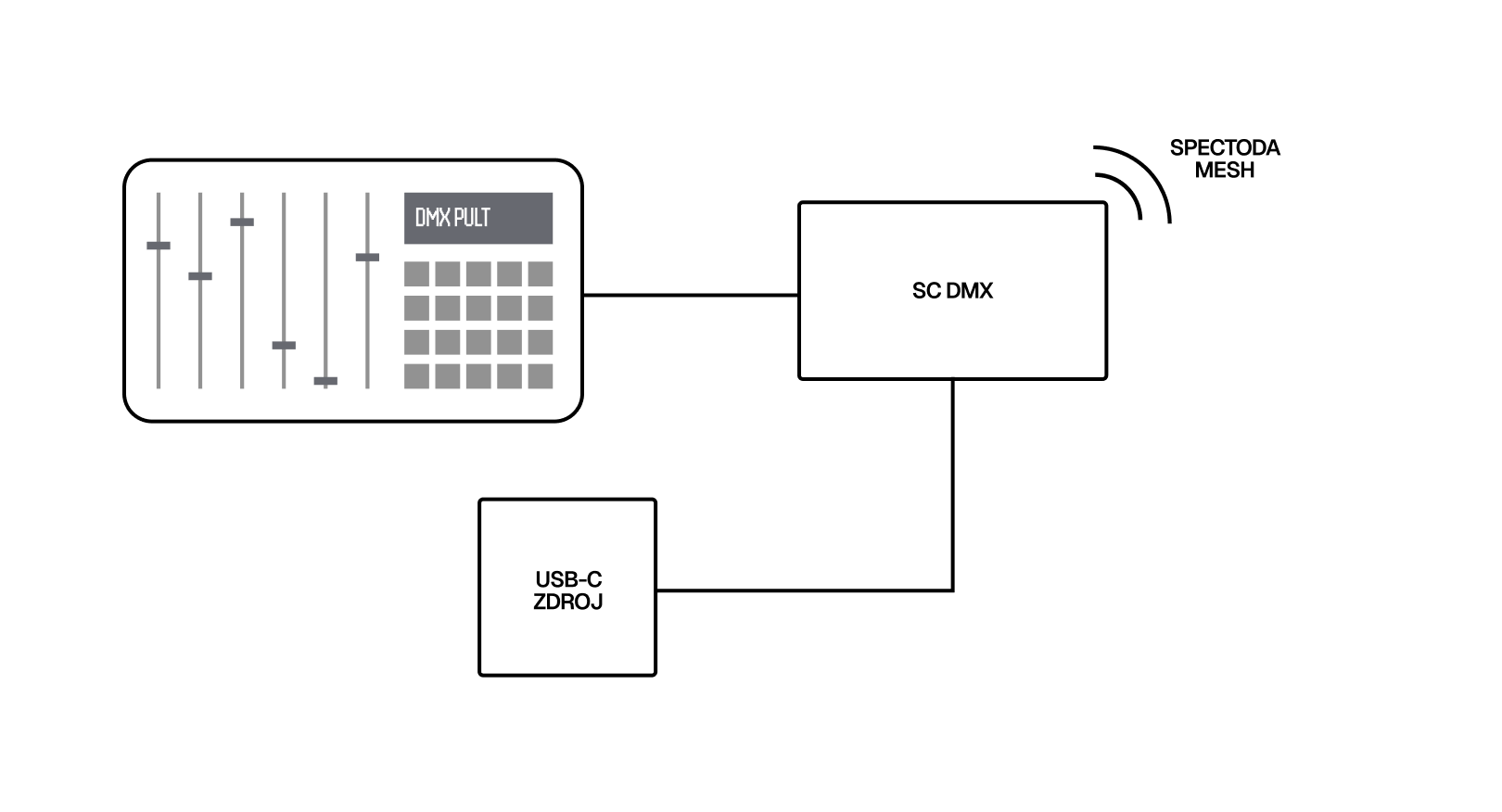
Section titled “Wiring diagram”Use case 1: controlling a Spectoda installation from a DMX console. It controls the other controllers in the installation wirelessly over Spectoda Mesh.
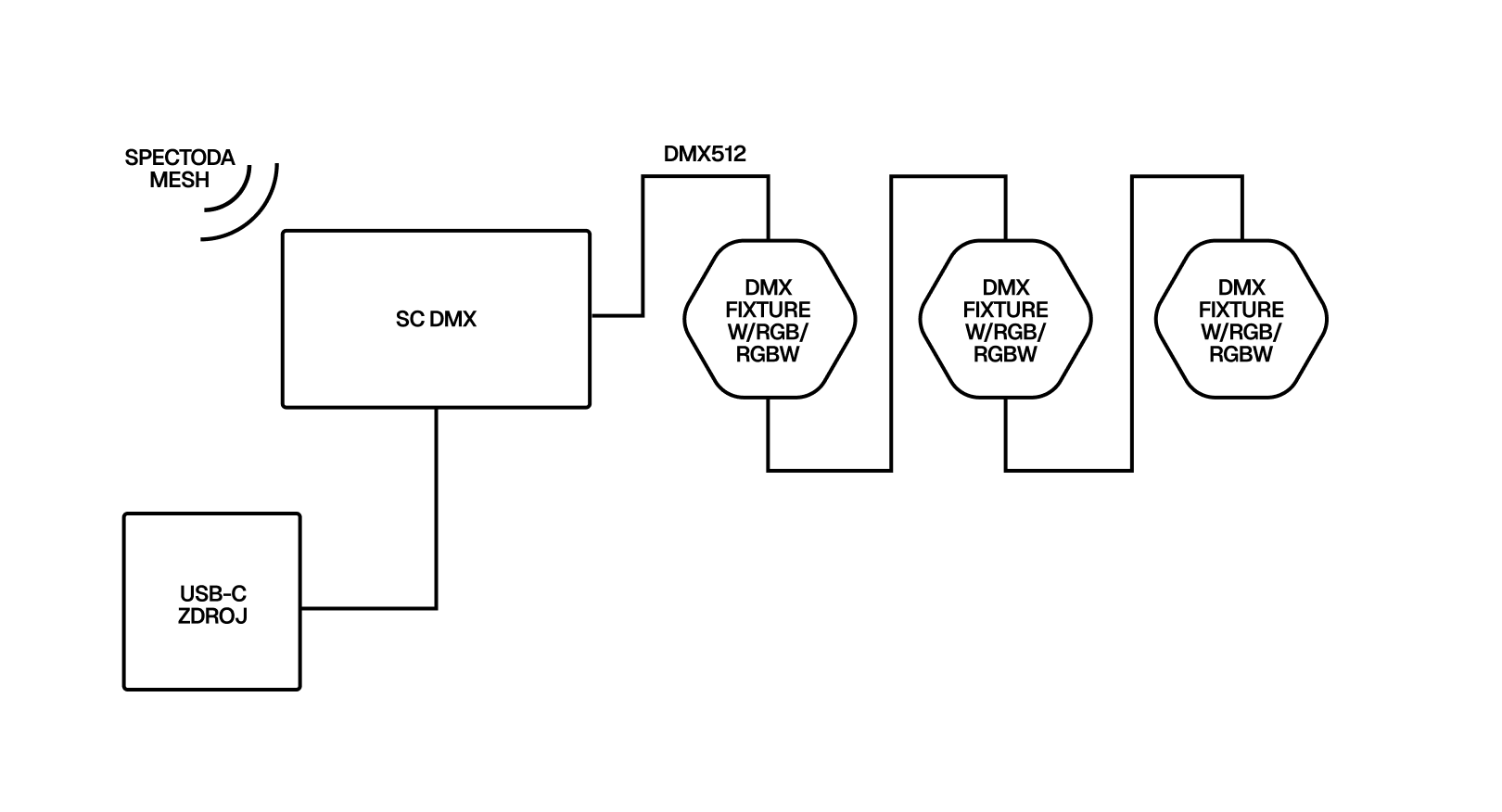
Use case 2: controlling DMX lights from Spectoda. It receives instructions from Spectoda Mesh and animates DMX fixtures accordingly.
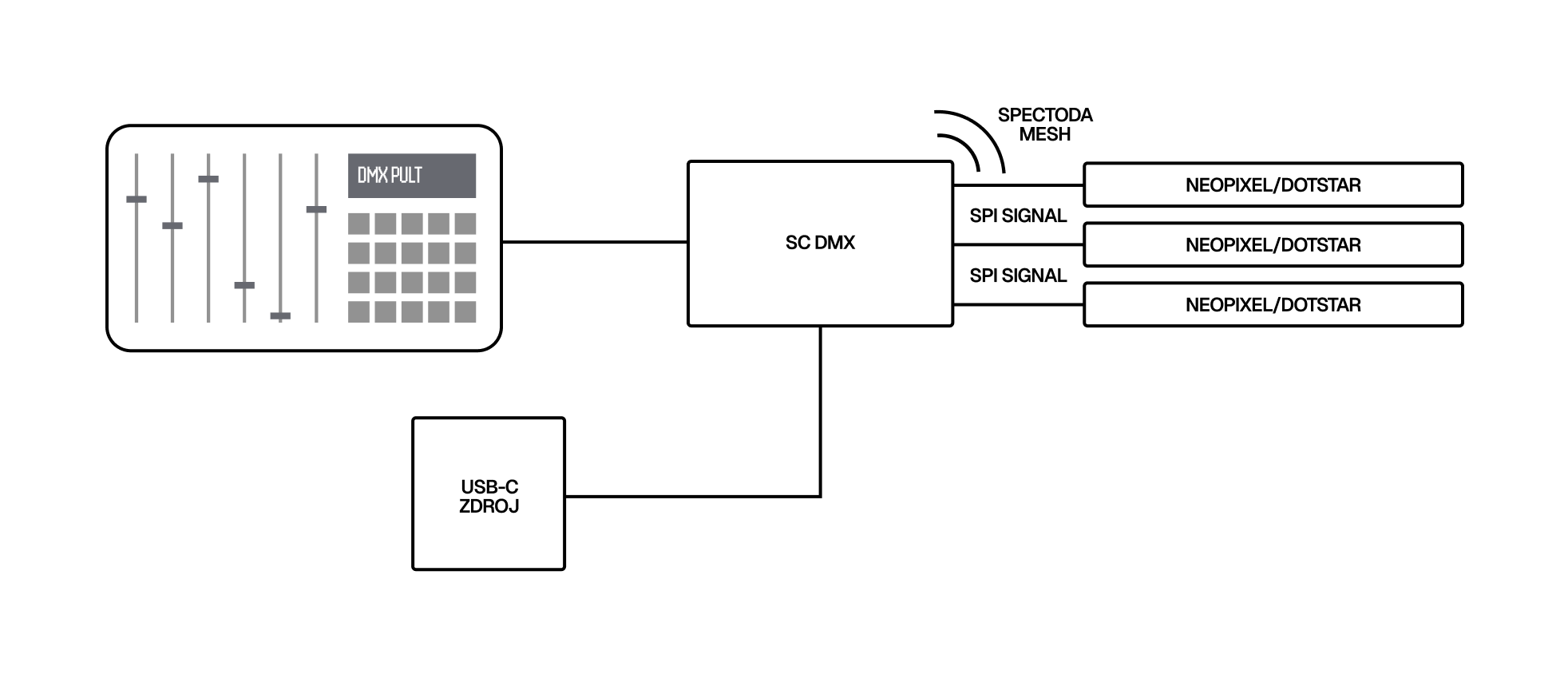
Use case 3: a DMX console controls animation parameters generated by Spectoda. It controls the other controllers in the installation wirelessly over Spectoda Mesh.
Safety information
Section titled “Safety information”- Follow DMX principles: one master in the chain, correct topology (chain/loop), and 120 ohm termination at the end.
- Do not connect DMX XLR ports to audio devices because they use different voltage levels.
- Use only DMX-compatible cables.
- The product is not intended for installation on a flammable surface.
Additional information
Section titled “Additional information”More technical data is available from: