SC Button A
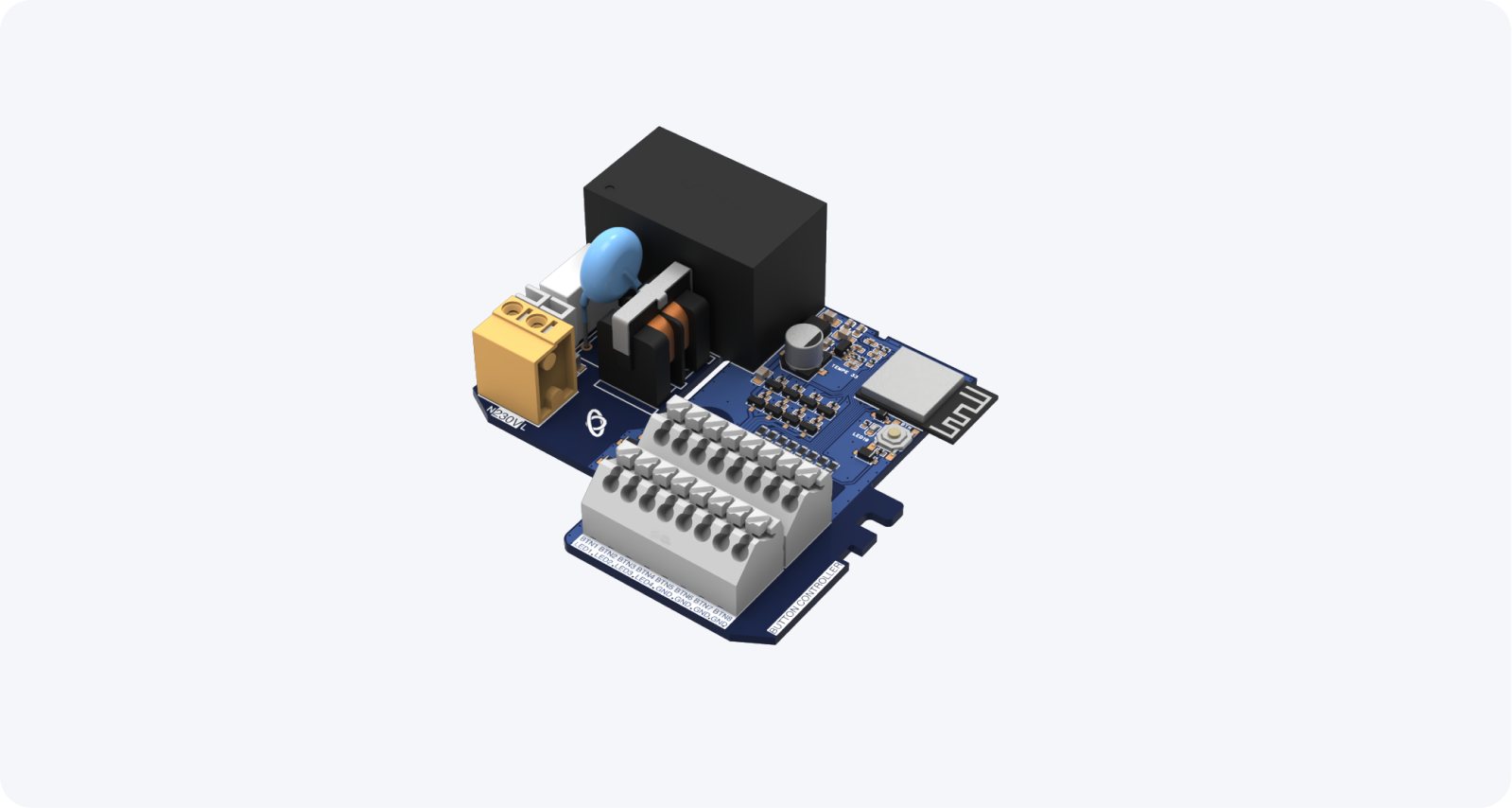
SC Button A control unit allows up to 8 physical buttons or switches to be connected to the Spectoda ecosystem. It is suitable for integration into industrial buttons.
The current technical model of this branch is SC Button A1. The original name SC Button remains only as a historical alias.
Description
Section titled “Description”The SC Button A control unit serves as an input device for up to 8 buttons / switches and up to 4 LED indicators.
Thanks to Spectoda firmware, it is compatible with all other devices that support the Spectoda ecosystem and enables direct communication with lights and sensors.
Typical spaces include:
- production / industrial hall
- sports facilities
It provides a simple and flexible control solution, improving efficiency and reducing infrastructure and energy costs. Lights can be controlled individually or by segment and wirelessly connected to sensors such as motion or daylight sensors. It can be implemented into existing luminaires without new cabling.
Spectoda lighting control system
Section titled “Spectoda lighting control system”- Wireless control from a Bluetooth smart device
- No external gateway device required
- Automatically creates a wireless mesh network
- Device firmware can be updated over the air
- Spectoda cloud service available through Spectoda Gateway
- Very simple setup
SC Button A features
Section titled “SC Button A features”- Wireless connectivity
- Range up to 80 meters
- Dimensions: 69 mm x 72 mm x 18 mm
- 8 inputs
- 4 LED outputs
- Supplied with preinstalled Spectoda firmware
- Built on the ESP32 platform
- Designed for industrial installation
Expansion
Section titled “Expansion”We do not currently offer any standard expansion modules. If you have a specific requirement, contact us.
Wiring diagram
Section titled “Wiring diagram”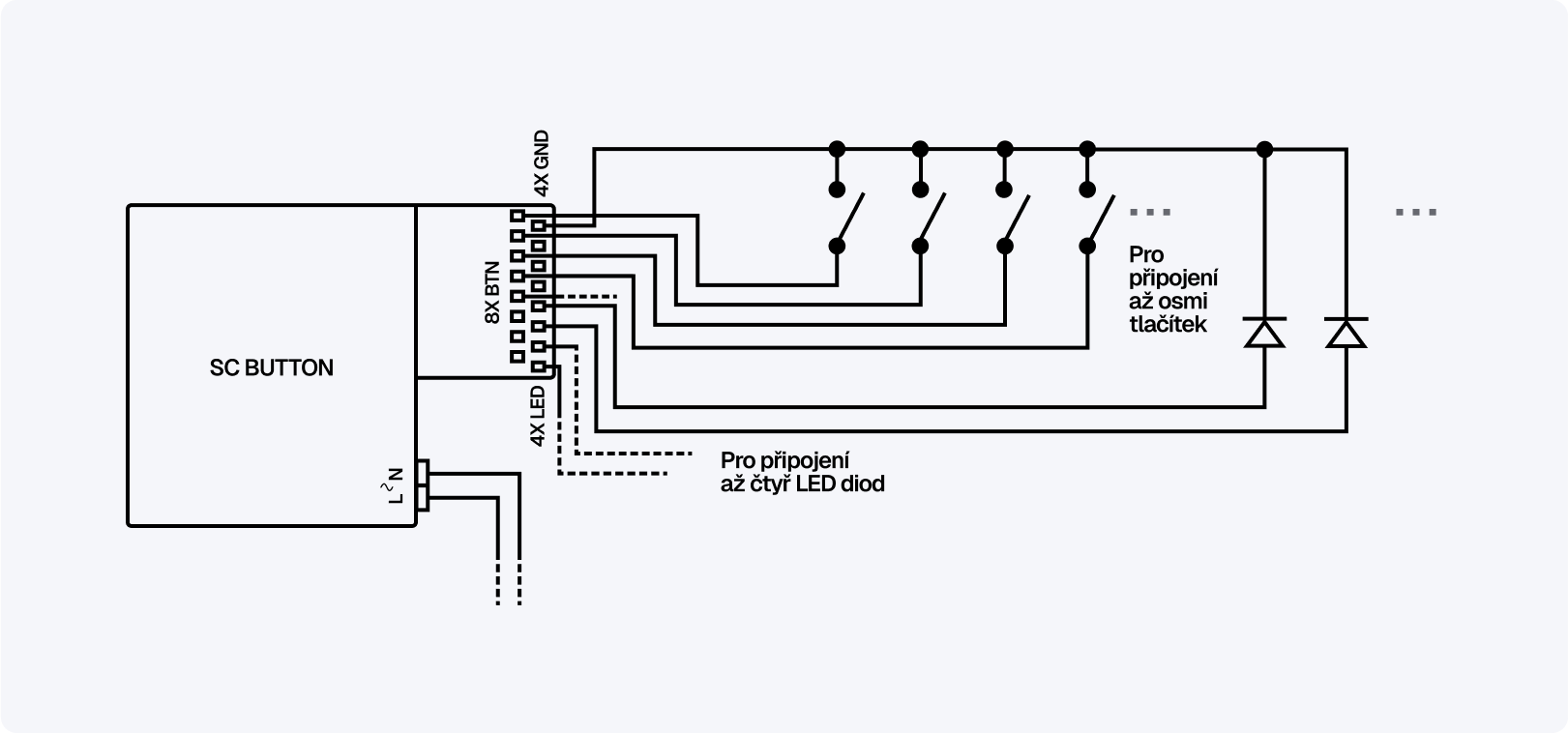
Compatible devices
Section titled “Compatible devices”SC Button A primarily serves as an input device, but like other Spectoda controllers, it can be controlled wirelessly from Spectoda smartphone and desktop applications over Bluetooth.
You can download the Spectoda Connect app for free from the Apple App Store and Google Play Store.
Additional information
Section titled “Additional information”More technical data is available from: